Adding AI to Existing Software Without Rebuilding Everything.
By Fairlogs Engineering Leadership
•
October 2026
•
6 min read
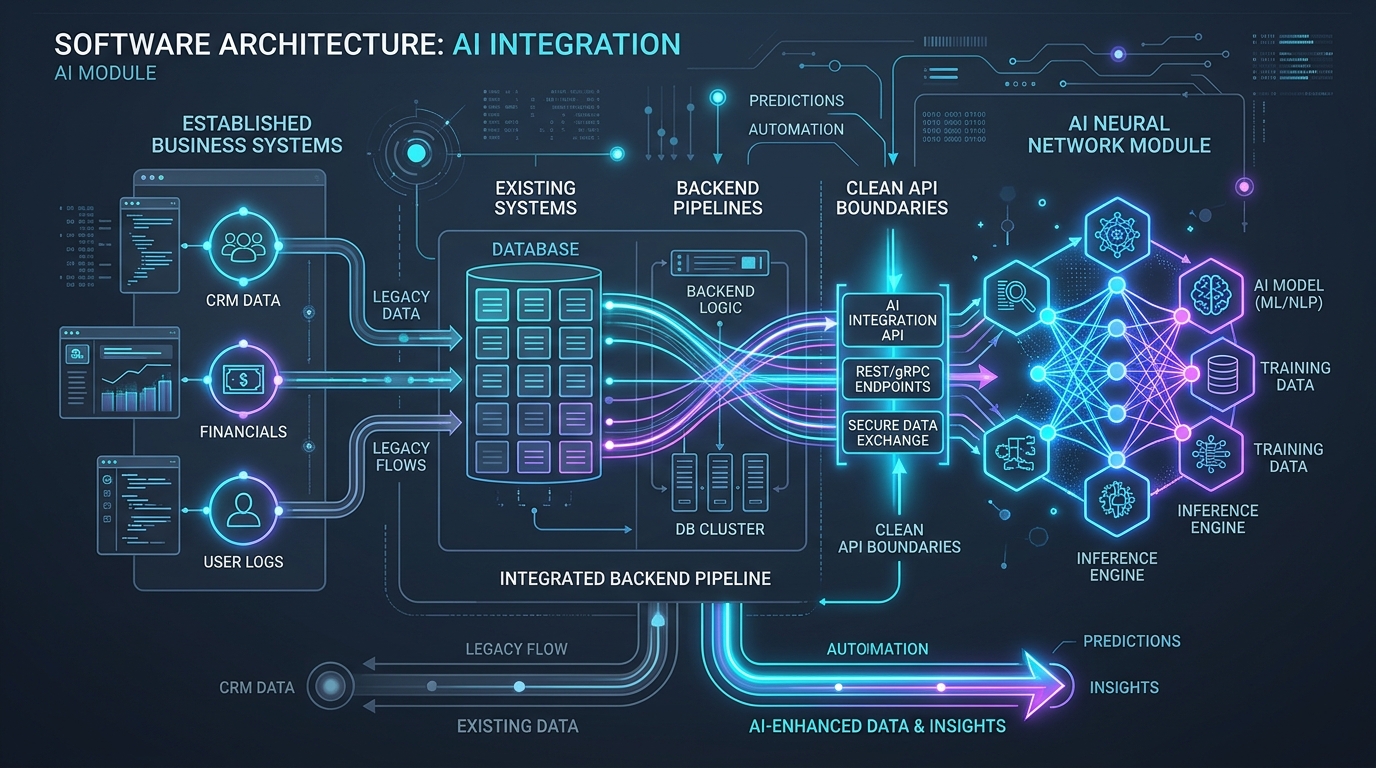
A business does not need to replace its applications to begin using AI. In many cases, the better approach is to add a focused capability to a system employees already know. The challenge is deciding what AI should do, how it will access information, and how its output will be checked.
Start with one useful task
Look for work that takes time because people must read, summarize, classify, search, or draft information. Examples include extracting details from incoming documents, helping staff locate internal guidance, or preparing a first draft for review.
Keep the existing system in charge
The application should continue to control user permissions, records, approvals, and business rules. An AI service can assist with interpretation or drafting, but it should not bypass the controls already in place.
Plan the data flow
Identify the information AI needs, where it comes from, how long it is retained, and who is allowed to access it. Avoid sending unnecessary personal or confidential data to an external service.
Build in review and fallback
AI outputs can be incomplete or incorrect. Use validation, human approval, clear error handling, and a non-AI path when the task requires dependable results.
Measure the actual benefit
Before expanding, compare the new workflow with the previous process. Look at time saved, correction effort, reliability, and user adoption rather than demo quality alone.
A sensible first release
Choose a narrow use case, connect it through a controlled API, test with representative data, and improve the workflow before scaling it.
Next step
Discuss an AI Integration
Speak directly with our technical team.
Contact Us
Article: Modernize or Rebuild?
URL: /insights/modernize-or-rebuild-software/
SEO title: Modernize or Rebuild Legacy Software? | Fairlogs
Meta description: A practical framework for deciding whether to improve an existing application or replace it.