Should You Modernize Your Software or Rebuild It?
By Fairlogs Systems Architecture Team
•
September 2026
•
7 min read
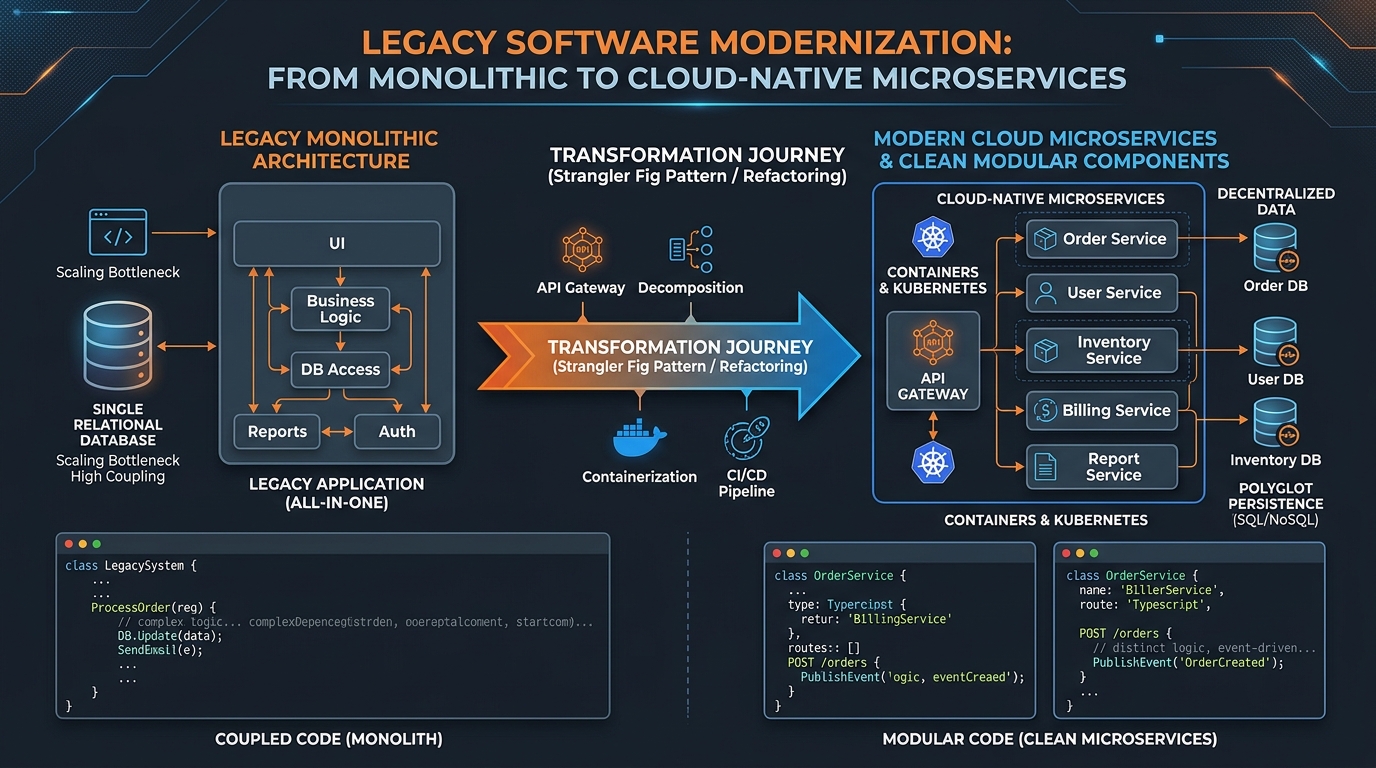
An older application is not automatically a bad application. It may handle critical business rules, integrate with essential systems, and support users who know it well. The decision to modernize or rebuild should begin with the problems the software creates, not its age.
Identify the real pressure
Is the problem slow performance, difficult maintenance, unsupported dependencies, security risk, missing features, or a poor user experience? Different problems call for different responses.
Understand what already works
Document the workflows, reports, data structures, and integrations that must continue to function. Business knowledge embedded in the software is easy to underestimate.
Consider incremental modernization
Upgrading a framework, isolating a module, adding an API, improving database queries, or replacing one interface may solve the immediate problem without the risk of a full rebuild.
Know when a rebuild is justified
A rebuild may make sense when the architecture fundamentally prevents essential changes, the technology cannot be supported safely, or the cost of repeated workarounds has become unacceptable.
Compare the risks, not just the budgets
A replacement requires migration, validation, user training, parallel operations, and careful rollout. Include these costs when comparing options.
Make the decision in stages
Start with an assessment and a limited proof of the most uncertain technical requirement. Use the findings to decide the next step.
Next step
Discuss Application Modernization
Speak directly with our technical team.
Contact Us
Article: Planning ERP and E-commerce Integration
URL: /insights/erp-ecommerce-integration/
SEO title: Planning ERP & E-commerce Integration | Fairlogs
Meta description: Key decisions for connecting orders, inventory, customers, and products across commerce and enterprise systems.